
A Print Workflow Guide for Business Owners and IT Decision-Makers Across New Mexico and El Paso

If your business depends on daily printing, Windows Protected Print is a change you need to understand now. Microsoft’s phased rollout is already underway across Windows 11, and its impact on printer driver compatibility, office printing workflows, and your managed print services environment could be significant for businesses of every size across New Mexico and El Paso.
This guide breaks down exactly what Windows Protected Print (WPP) is, what Microsoft’s timeline means for your daily operations, and how DSI can help your business prepare before it disrupts your workflow.
What Is Windows Protected Print (WPP) Mode?
Windows 11 version 24H2 introduced Windows Protected Print mode as a new, optional security feature available in Windows 11 Pro. Designed to enhance the security of printing operations, WPP restricts the use of certain printer drivers that do not meet specific security criteria set by Microsoft. The purpose is to prevent potential vulnerabilities that could be exploited through malicious or unverified printer drivers, which represent a real and growing concern in today’s cybersecurity landscape.
First announced in December 2023, Microsoft outlined a phased rollout plan that every business using Windows should be aware of:
-
2025: Microsoft will stop accepting new driver submissions from printer vendors
-
2027: Third-party driver updates through Windows Update will cease
-
Post-2027: Windows Protected Print is expected to become the default print mode for all Windows systems, further tightening security across the entire ecosystem
This timeline is already underway. Businesses that have not yet assessed their print environments are at risk of being caught off guard when the transition accelerates.
How Windows Protected Print Could Disrupt Your Day-to-Day Workflow
While Windows Protected Print is currently optional, enabling it, or being defaulted into it as Microsoft progresses through its rollout, can significantly impact the way your team prints every day. Here is what businesses need to be aware of:
-
Driver-Based Printing Disabled: Enabling WPP disables all existing driver-based printing methods on the end-user device. Printers relying on traditional drivers may no longer function as expected, requiring businesses to identify and deploy compatible alternatives.
-
Print Finishing Features Affected: Users may experience disruptions with print finishing options such as stapling, hole punching, booklet creation, and other driver-level instructions that many office workflows depend on daily.
-
Not All Hardware Is Supported Yet: Windows Protected Print is not yet supported across all print hardware or by all major print software providers. Official support from manufacturers and software organizations is still being developed.
-
Windows 11 Devices Only: WPP is only available on Windows 11 devices. With Windows 10 reaching the end of support on October 14, 2025, businesses still on Windows 10 will need to plan both their OS upgrade and their WPP readiness simultaneously.
-
No Defined End-of-Support for Existing Drivers Yet: Existing drivers are expected to remain functional for the foreseeable future with no defined end-of-support date. However, the phased timeline makes proactive planning essential.
Businesses that depend on high-volume printing, specialized finishing, multi-device environments, or tightly integrated print software are most exposed to workflow disruption when the default switch happens.
Should Your Business Enable Windows Protected Print Right Now?
The short answer is not yet, and not without thorough testing first.
Activating Windows Protected Print on a production network without first testing all of your organization’s print workflows across every make, model, and supporting print software solution is not recommended at this time. The phased 2025-2027 transition plan provides time for hardware manufacturers and software providers to build full support, but that window is narrowing.
What is recommended right now is adding WPP evaluation and a formal print workflow assessment to your 2026 IT strategic plan. Identifying which of your printers, print management tools, and workflow processes will be affected before the default switch happens is far less disruptive and far less expensive than reacting after the fact.
Secure Print Alternatives to Explore Right Now
If your business needs to improve print security or prepare for the Windows Protected Print transition without disrupting current operations, there are proven alternatives already available:
-
Print Management Software: Solutions like PaperCut offer secure print release features that require user authentication at the printer before documents are released, improving security without removing existing driver functionality. This is one of the most practical near-term solutions for businesses with complex print environments.
-
IPP Driverless Printing: The Internet Printing Protocol (IPP) enables driverless, secure printing across networks, reducing the complexity of managing multiple printer drivers. IPP driverless printing is one of the technologies WPP is designed to support and is considered a future-proof approach.
-
Cloud-Based Printing Services: Microsoft Universal Print and similar cloud-based printing services allow users to send print jobs securely over the cloud with built-in authentication and encryption. This approach aligns closely with Windows Protected Print’s direction and reduces reliance on traditional driver infrastructure.
DSI works with trusted print management solutions and can help your business evaluate which approach best fits your environment and your long-term technology roadmap. Explore our managed print services or take a look at our office printers and copiers to see the hardware DSI supports.
DSI’s Print Workflow Assessment and the March to the Madness 2026 Workshop
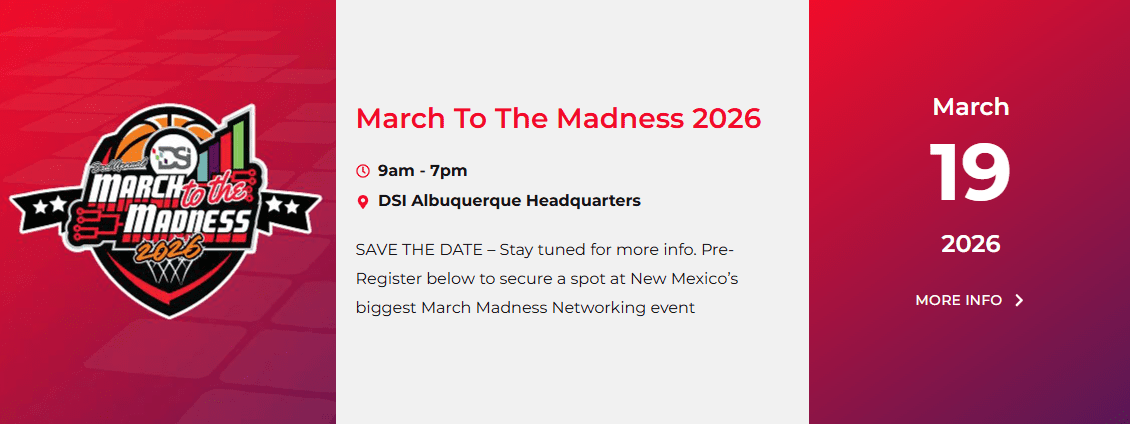
Windows Protected Print is exactly the kind of change that can quietly build into a major workflow bottleneck if businesses are not proactively prepared. That is why DSI is bringing in a print specialist to facilitate a dedicated workshop at the March to the Madness 2026 event, focused specifically on identifying workflow bottlenecks, uncovering opportunities to automate and streamline print operations, and helping businesses reduce operational costs through smarter technology decisions.
A DSI print workflow assessment is designed to address:
-
Identify which of your current printers and drivers are at risk from Windows Protected Print changes
-
Uncover inefficiencies in your existing print workflow that are costing your team time and money
-
Surface opportunities to automate repetitive print processes and increase productivity
-
Provide a clear, practical roadmap for transitioning to WPP-compatible or driverless print environments
-
Evaluate print management software and cloud-based printing options suited to your environment
DSI’s team serves businesses across Albuquerque, Santa Fe, Las Cruces, El Paso, and throughout New Mexico and Texas as a trusted managed technology services provider. Whether you attend the workshop at March to the Madness 2026 or connect with the team directly beforehand, getting ahead of Windows Protected Print now is the smart business move. Visit our events page to learn more about the March to the Madness 2026 workshop.
Protect Your Windows Protected Print Readiness With DSI
Whether you are preparing for the Windows Protected Print transition, exploring managed print services for the first time, or looking to eliminate the workflow bottlenecks that are costing your team time and money, DSI has the expertise, the local presence, and the certified professionals to help. From formal print workflow assessments to full managed IT services across New Mexico, DSI serves businesses with proactive IT support built around your specific needs.
Take a look at our office printing solutions, explore everything DSI offers as a managed IT services provider, or learn more about DSI and our team.
Ready to get started? Contact us directly, call 888-386-7834, or email info@dsinm.com to schedule your print workflow assessment, and visit our events page to learn more about the March to the Madness 2026 workshop. You can also get a free quote today. When it comes to Windows Protected Print and your managed print services environment, the businesses that plan ahead always come out ahead.

Jocelyn Gorman, the Executive Vice President of DSI, possesses a deep understanding of the unique requirements of growing businesses. With over a decade of experience collaborating with clients across various industries, she closely collaborates with her Sales Team to develop and implement tailored technology solutions. These solutions aim to enhance office productivity and minimize operational costs. Her remarkable ability to effectively address business challenges has garnered recognition from prestigious publications such as the Cannata Report and Family Business Magazine.